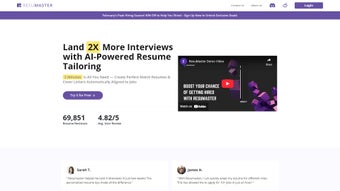

Download ResuMaster – AI‑Powered Resume & Cover Letter Optimizer
Overview
ResuMaster is an innovative AI‑driven web application that transforms ordinary resumes and cover letters into targeted, employer‑focused documents. By scanning job listings and comparing them with the content of your existing résumé, ResuMaster highlights the most relevant skills, achievements, and keywords that recruiters look for. The platform also offers a dynamic cover‑letter generator that crafts personalized letters aligned with each job description, helping you convey your unique story while reflecting the company's culture.
With a clean, intuitive interface, you can simply upload your files, select a job posting, and watch the AI work in real time. The result is a polished, data‑backed application package that saves time, reduces guesswork, and boosts your chances of landing interviews. Whether you’re a fresh graduate, a seasoned professional, or anyone in between, ResuMaster provides a comprehensive, secure, and free‑to‑try solution for job seekers looking to stand out in a crowded market.
Core Features & Benefits
- AI‑Based Resume Analysis: Advanced algorithms compare your resume against the specific job posting, identifying gaps and suggesting optimal keyword integration.
- Smart Cover Letter Generator: Automatically creates a tailored cover letter that mirrors the tone, values, and requirements of the target employer.
- Real‑Time Optimization Dashboard: Visual feedback on score improvements, keyword density, and readability as you edit.
- One‑Click Upload & Export: Supports DOCX, PDF, and plain‑text formats; export final documents in industry‑standard layouts.
- Job Listing Integration: Paste a URL or upload a job description; ResuMaster parses responsibilities and required skills instantly.
- Security & Privacy: End‑to‑end encryption ensures your personal data stays confidential; no data is stored after the session unless you opt‑in.
- Multi‑Language Support: Optimizes resumes in English, Spanish, French, and German, making it ideal for global job markets.
- Free Tier with Premium Upgrade: The free version offers unlimited analyses, while the premium plan adds bulk processing, ATS compatibility checks, and priority support.
Beyond the feature list, ResuMaster’s biggest advantage is its ability to translate vague experience into concrete, recruiter‑friendly language. The AI learns from millions of successful applications, ensuring the suggestions are not just keyword stuffing but contextually accurate enhancements. Users report a noticeable increase in interview callbacks after just one optimization cycle. The platform also integrates with popular job boards, allowing you to export your refined documents directly to LinkedIn, Indeed, or company career portals. By consolidating resume tweaking, cover‑letter drafting, and ATS testing into a single cloud‑based tool, ResuMaster eliminates the need for multiple subscriptions, saving both money and time.
Installation & Usage Guide
Getting started with ResuMaster is straightforward, thanks to its web‑based architecture that requires no local installation. Follow these steps to unlock the full potential of the AI optimizer:
1. Account Creation & Login
Visit ResuMaster.com and click “Sign Up.” You can register using an email address or through OAuth providers such as Google or LinkedIn. After confirming your email, log in to the dashboard where the main optimization tools reside.
2. Upload Your Resume
Click the “Upload Resume” button and select a file in DOCX, PDF, or TXT format. The platform automatically parses the document, extracting sections like “Professional Experience,” “Education,” and “Skills.” A quick preview appears, allowing you to verify that the parsing was accurate.
3. Add a Job Description
You have two options: paste the full job posting text into the provided field or paste the URL of the listing. ResuMaster’s crawler scrapes the page, isolates key responsibilities, and builds a skill matrix for comparison.
4. Run the AI Analysis
Press “Analyze.” Within seconds, the AI generates a score (out of 100) that reflects how well your resume matches the job. Below the score, you’ll see actionable suggestions: keyword insertions, bullet‑point re‑phrasing, and section re‑ordering. Each recommendation includes a brief rationale, helping you understand why a change matters.
5. Edit & Optimize
Use the built‑in editor to apply changes directly. As you edit, the score updates in real time, giving you immediate feedback. You can also toggle the “Highlight Changes” mode to see before‑and‑after comparisons.
6. Generate a Cover Letter
Once your resume reaches an acceptable score (typically 85+), click “Create Cover Letter.” The AI drafts a personalized letter, weaving in your most relevant achievements and aligning them with the company’s mission. Review the draft, make any manual tweaks, and export it alongside your resume.
7. Export & Apply
When you’re satisfied, click “Download.” Choose between PDF (ready for ATS) or DOCX (editable). For premium users, a one‑click “Apply to Job” feature pushes the documents to the original posting platform.
ResuMaster also offers a mobile‑responsive design, so you can fine‑tune documents from tablets or smartphones. The entire workflow is cloud‑based, meaning your progress syncs across devices automatically. If you encounter any issues, the “Help Center” provides step‑by‑step tutorials and a live chat option for premium members.
Compatibility, Pros & Cons
Supported Platforms: Because ResuMaster is a web application, it runs on any modern browser—Chrome, Firefox, Safari, Edge—on Windows 10/11, macOS Ventura and later, Linux distributions, as well as mobile browsers on Android 9+ and iOS 13+. No additional software download is required, making it ideal for users who switch between work and personal devices.
Pros
- AI Accuracy: The engine leverages machine‑learning models trained on millions of successful applications, delivering context‑aware suggestions.
- Time Savings: Automates keyword research and cover‑letter writing, cutting preparation time by up to 70%.
- Free Tier: Unlimited resume analyses without a credit card, perfect for students and job‑seekers on a budget.
- Security First: End‑to‑end encryption and optional data deletion after each session protect personal information.
- Cross‑Platform: Works on any OS with a browser, eliminating compatibility headaches.
- Continuous Updates: New AI models and industry‑specific templates are rolled out monthly.
Cons
- Internet Dependency: As a cloud service, a stable connection is required; offline editing isn’t supported.
- Learning Curve for Advanced Features: While basic use is intuitive, mastering bulk processing and ATS compliance checks may take time.
- Premium Cost: The full suite (bulk uploads, priority support, custom branding) is $19.99/month, which may be steep for occasional users.
- Limited Design Customization: The visual layout of the final PDF is standardized; users seeking highly stylized designs must edit externally.
FAQ – Frequently Asked Questions
Is ResuMaster really free to use?
Yes, ResuMaster offers a completely free tier that includes unlimited resume analyses and cover‑letter generation. The free version is fully functional for most job‑seeking needs. Premium features—such as bulk processing, ATS compliance reports, and priority support—are available through a paid subscription.
How does ResuMaster protect my personal data?
All files are encrypted during upload and while stored on ResuMaster’s servers. The platform follows GDPR and CCPA guidelines, and data is automatically deleted after each session unless you opt‑in to save a project in your personal account.
Can I use ResuMaster on my mobile device?
Absolutely. The web app is fully responsive and works on Android 9+ and iOS 13+ browsers. All features—including the AI analysis and cover‑letter generator—are accessible from smartphones and tablets.
Does ResuMaster integrate with applicant tracking systems (ATS)?
The premium plan includes an ATS‑compatibility checker that evaluates your resume against common parsing rules (e.g., keyword placement, section headings). While ResuMaster does not directly submit applications to ATS platforms, it ensures your documents are optimized for them.
What file formats can I export my resume in?
You can download your final resume as a PDF (ideal for ATS) or as a DOCX file for further editing in Microsoft Word or Google Docs. The export retains all formatting and keyword highlights applied by the AI.
Conclusion & Call to Action
ResuMaster stands out as a powerful, AI‑driven companion for anyone serious about advancing their career. By automating the most tedious parts of resume and cover‑letter creation, it lets you focus on what truly matters—preparing for interviews and showcasing your expertise. Whether you’re entering the job market for the first time or navigating a career change, the free tier offers enough functionality to make a noticeable impact, while the premium upgrade unlocks advanced tools that can shave hours off your application workflow. Ready to transform your job‑search documents into high‑impact, recruiter‑ready assets? Sign up for ResuMaster today and experience a smarter way to apply.



.png)



